Page 1 of 2

How 2 Get 2 Notes To Play Immediately After One Ends

Posted: Mon Jan 23, 2012 1:31 am
by odawgg
How do you combine two notes in the piano roll so that once one note finishes, the other will play RIGHT AFTER the previous note finishes as if it were together because when I extend a note for the maximum duration the audio lasts then add the same length note right next to it, it takes like 2 seconds for the next note to play.

Re: How 2 Get 2 Notes To Play Immediately After One Ends

Posted: Mon Jan 23, 2012 12:44 pm
by musikbear
ehh.. not sure i understand. are there delays between individual notes?!
Look at this image
[IMG=http://img822.imageshack.us/img822/9691/succesnotes.jpg][/IMG]

Uploaded with ImageShack.us

all these notes are played with default 3OC, and all are played in succession
If you repeat this pattern do you have delays between any of these notes?

Re: How 2 Get 2 Notes To Play Immediately After One Ends

Posted: Wed Jan 25, 2012 2:24 am
by odawgg
Yeah, there's a delay you can even see in the following image http://imageshack.us/f/853/delay.png/ I circled the area of noticeable delay. How to I rid the notes of the delay? ALSO, In the picture you have, how do you create two notes on the same piano roll with different lengths?

Re: How 2 Get 2 Notes To Play Immediately After One Ends

Posted: Wed Jan 25, 2012 2:41 pm
by musikbear
the reason you have 'delays' in the song-editor is that you have expanded the note over the right egde of a terminal bar
The result is that the note ends after the next bar has strted, and that bar will then play back empty.
There are more than one way to solve that.
*) shoten the note so it will 'fit' inside the last bar
This will change the composistion, and meight not be wanted
*) Move the note-containers in song-editor so they overlap
This will solve the issue 100%, but it can be a little t&e with your mouse to move the containers precisely.
You move the containers snap-less by left-clicking the container and holding the mouse down move the mouse as you are holding it down. The container will now slide over the song-editor with no snapping

You can make any note have any length in piano-roll
Just rest your mouse over the right egde of the note, The cursor changes to a doube-arrow. Press left-mouse and drag or push, and the note will change its length

I recommend that you read the wiki in general and more specific
http://lmms.sourceforge.net/wiki/index. ... oll_Editor
for how to edit notes in piano-roll

Br.

Re: How 2 Get 2 Notes To Play Immediately After One Ends

Posted: Sat Jan 28, 2012 2:16 am
by odawgg
As you can see, I'm making SOME progress as shown in this picture http://imageshack.us/photo/my-images/525/markk.jpg/ but there's still a SMALL but noticeable delay that I just can't have, are there any video tutorials?, I'm a visual learner.

Re: How 2 Get 2 Notes To Play Immediately After One Ends

Posted: Sun Jan 29, 2012 10:29 am
by musikbear
are there any video tutorials?
many on youtube for lmms in general - your exact problem, not so sure
Have you manage to slide note-containers in SONG-editor?
That should solve your problem

Re: How 2 Get 2 Notes To Play Immediately After One Ends

Posted: Wed Feb 01, 2012 6:25 am
by odawgg
musikbear wrote:
are there any video tutorials?
many on youtube for lmms in general - your exact problem, not so sure
Have you manage to slide note-containers in SONG-editor?
That should solve your problem
No, where are the slide note-containers located? More pictures would help me if can be provided

Re: How 2 Get 2 Notes To Play Immediately After One Ends

Posted: Wed Feb 01, 2012 1:08 pm
by musikbear
No, where are the slide note-containers located? More pictures would help me if can be provided
theres no 'handles' you do as i told you the other day:
musikbear wrote:You move the containers snap-less by left-clicking the container and holding the mouse down move the mouse as you are holding it down. The container will now slide over the song-editor with no snapping

Br.

Re: How 2 Get 2 Notes To Play Immediately After One Ends

Posted: Sun Feb 05, 2012 4:41 pm
by odawgg
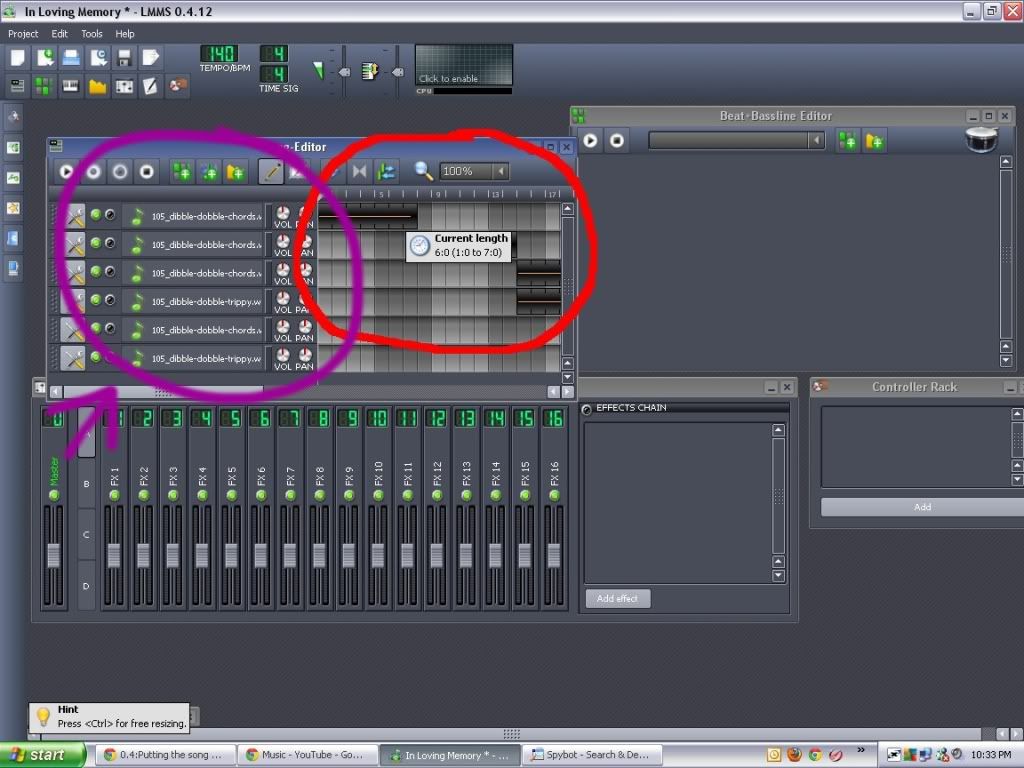
Like this? http://tinypic.com/view.php?pic=2hfqoso&s=5. If yes, it still doesn't work, just where exactly are the containers located I'm suppose to be moving? There's not a tool where I can just cut that extra piece of note from the song editor?

Re: How 2 Get 2 Notes To Play Immediately After One Ends

Posted: Mon Feb 06, 2012 7:20 am
by crazyperson
http://i1141.photobucket.com/albums/n59 ... hfqoso.jpg

Why do you have six copies of the same instrument?


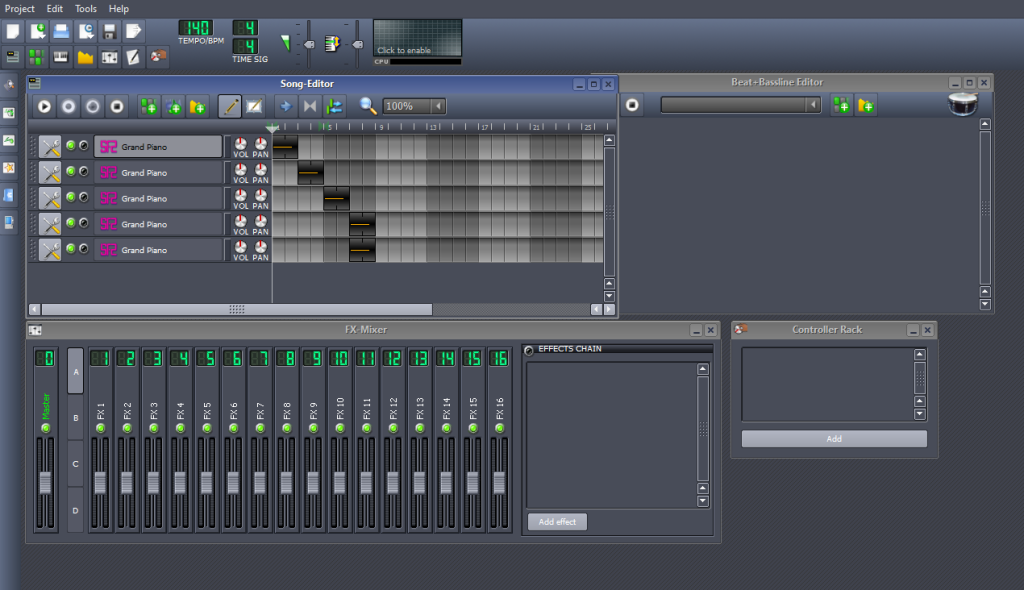
I tried to make something kind of like your project.

http://i1141.photobucket.com/albums/n59 ... itled1.png

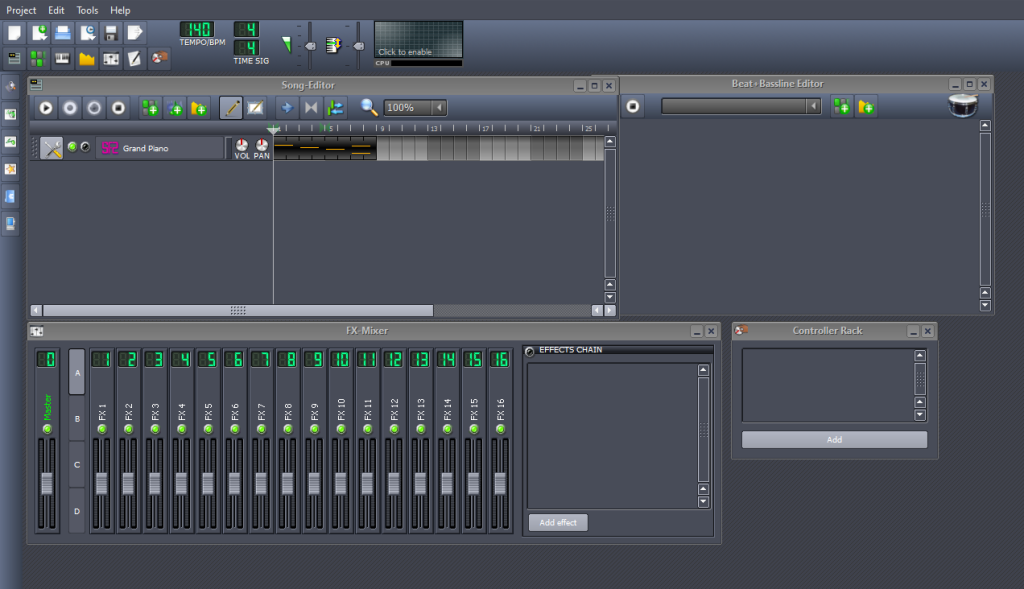
I don't really need all of those pianos. I can have all of the notes play on just the top one, like this

http://i1141.photobucket.com/albums/n59 ... itled2.png

It sounds like it did before, and the song editor looks much cleaner now :)